1. Create a blank project
Create a blank project folder and open it in your editor, I am using VSCode. Create a new blank file namedindex.html and generate or write the basic HTML:5 structure in the file.
<!DOCTYPE html>
<html lang="en">
<head>
    <meta charset="UTF-8">
    <meta name="viewport" content="width=device-width, initial-scale=1.0">
    <title>Document</title>
</head>
<body>

</body>
</html>
Tip : VSCode comes with pre-installed emmet extension. To generate basic html structure, type html:5 in the empty html file and hit tab button. It should auto generate the structure code for you.
2. Include the development version script of Vue
Although there are other advanced and better ways to install and include Vue in your project, For learning purposes we will directly include the VueJS script in our HTML file. You can include the latest version by including the following script inside the head tags of your page.
<head>
    <meta charset="UTF-8">
    <meta name="viewport" content="width=device-width, initial-scale=1.0">
    <title>Document</title>
    <!-- development version, includes helpful console warnings -->
    <script src="https://cdn.jsdelivr.net/npm/vue/dist/vue.js"></script>
</head>
3. Hello World from Vue
Alright, Time to show our Vue skills to the world by creating our very first VueJS Application.<!DOCTYPE html>
<html lang="en">
<head>
<meta charset="UTF-8">
<meta name="viewport" content="width=device-width, initial-scale=1.0">
<title>Document</title>
<!-- development version, includes helpful console warnings -->
<script src="https://cdn.jsdelivr.net/npm/vue/dist/vue.js"></script>
</head>
<body>
<div id="app">
{{ message }}
</div>
</body>
<script type="text/javascript">
var app = new Vue({
el: '#app',
data: {
message: 'Hello World!'
}
});
</script>
</html>4. Run application in a browser
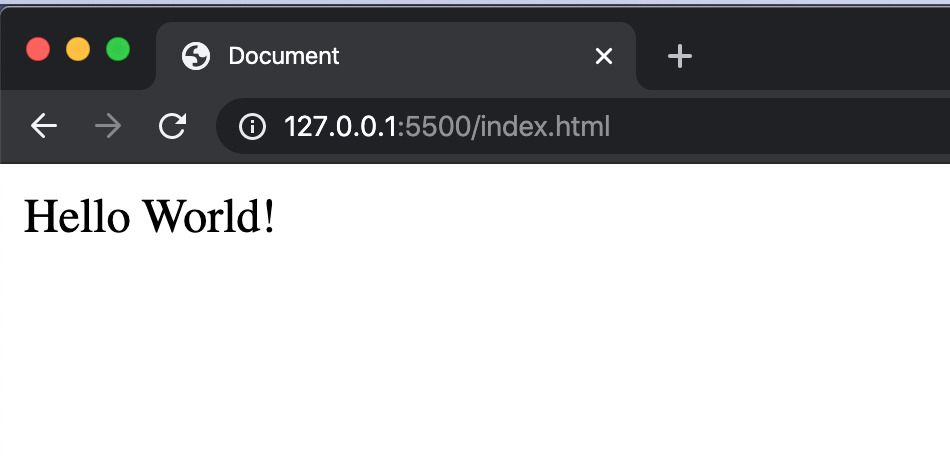
If you are using VSCode and have installed live-server extension. Right-click anywhere on the page and choose the option 'Open with Live Server'.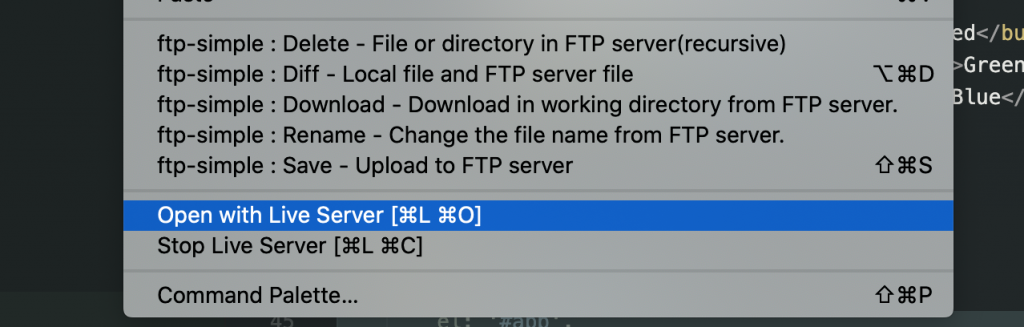 On running the
 index.html page in the browser and you should see Hello World ! on the page. For now, Don't worry if you don't understand what's going on behind the scenes and how Vue is printing that on screen.
 [WP-Coder id="1"]