This is a simple tutorial on how to use regex validation to make your password strength requirement stronger for a better security.
We will implement Strong Password Regex Validation with Laravel Authentication.
Before we proceed further, make sure you have following ready.
- Laravel 5 Setup
- Laravel Basic Authentication Configured.
Password Validation Modification at User Registration.
Open
RegisterController.php which is located at
App >
Http >
Controllers >
Auth Directory. Under the
validator() method. Modify the password validation rule to add the regex rule as well.
    protected function validator(array $data)
    {
        return Validator::make($data, [
            'name' => 'required|string|max:255',
            'email' => 'required|string|email|max:255|unique:users',
            'password' => 'required|string|min:6|confirmed|regex:/^(?=.*?[A-Z])(?=.*?[a-z])(?=.*?[0-9])(?=.*?[#?!@$%^&*-]).{6,}$/',
        ]);
    }
We have added the following regex to the password validation.
regex:/^(?=.*?[A-Z])(?=.*?[a-z])(?=.*?[0-9])(?=.*?[#?!@$%^&*-]).{6,}$/'
Which means the following
- Should have At least one Uppercase letter.
- At least one Lower case letter.
- Also,At least one numeric value.
- And, At least one special character.
- Must be more than 6 characters long.
Open your
register.blade.php file which is located at
resources >
views >
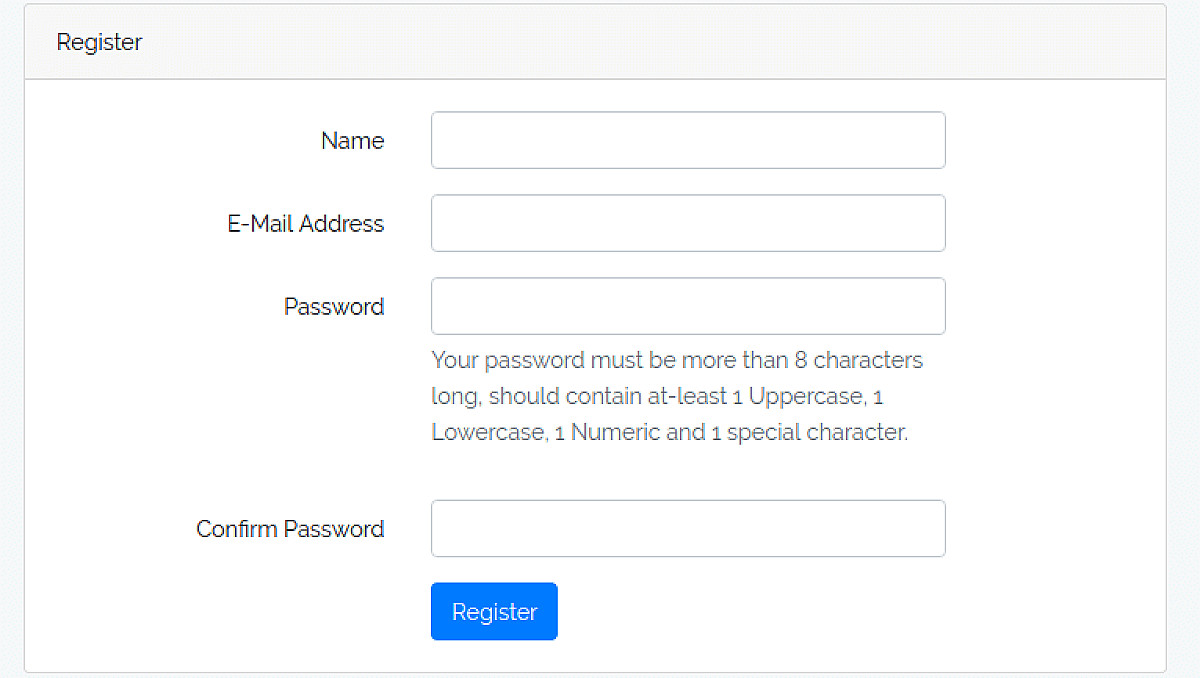
auth directory and add the following help block just below the password input field.
<p id="passwordHelpBlock" class="form-text text-muted">
        Your password must be more than 8 characters long, should contain at-least 1 Uppercase, 1 Lowercase, 1 Numeric and 1 special character.
</p>
Password Validation Modification at Reset Password
Open
ResetPasswordController.php which is located at
App >
Http >
Controllers >
Auth Directory. Add the rules() method with following validation rules.
    protected function rules()
    {
        return [
            'token' => 'required',
            'email' => 'required|email',
            'password' => 'required|string|min:6|confirmed|regex:/^(?=.*?[A-Z])(?=.*?[a-z])(?=.*?[0-9])(?=.*?[#?!@$%^&*-]).{6,}$/',
        ];
    }
The
rules() method is available in <code>ResetPassword</code> trait. When we put in this controller, it overrides the default validation rules of Reset Password.
Next, Open your
reset.blade.php file which is located at
resources >
views >
auth >
passwords directory and add the following help block just below the password input field.
<p id="passwordHelpBlock" class="form-text text-muted">
     Your password must be more than 8 characters long, should contain at-least 1 Uppercase, 1 Lowercase, 1 Numeric and 1 special character.
</p>
That' it ! You now have a stronger password validation on top of Laravel Authentication.